Sound on
Video 1 · Cooking vlog
A marble kitchen, a ribeye steak, rosemary and asparagus. Changing angles, close-ups, kitchen sounds. 15 seconds from a single generation.
LightingAnglesSoundVoice
A cooking vlog and a beauty video you can't tell apart from real footage. No camera, no studio, no camera operator, no editing. Just follow along with us on screen.
Access right after payment
Tap a video and turn the sound on: the sizzle of the steak, the hum of the hair dryer and the voice were all made by AI.
A marble kitchen, a ribeye steak, rosemary and asparagus. Changing angles, close-ups, kitchen sounds. 15 seconds from a single generation.
Hair styling and makeup in a marble bathroom. Natural hands, mirror reflections, soft light. No makeup artist, no studio, no camera operator.
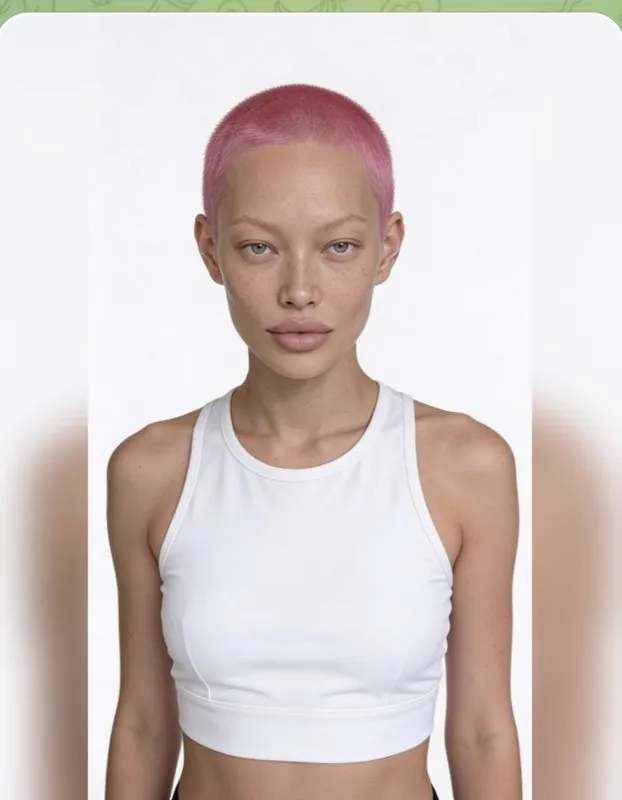
You create the base image, the foundation of the whole video. It sets the face, the light and the realism
A director's prompt for 20 scenes: what happens, where the camera is, what the light and sound are
The image comes to life: 9:16, 1080p, with sound
Voiceover in 3 steps with emotion tags — a natural delivery, not a robot
 IMAGE
One image → 15 seconds of film with sound
We do everything on screen. You follow along with our prompts and settings.
The face "drifts", hands break, the movement looks like a mannequin. Too embarrassing to post.
You type "beautiful kitchen, steak" and get something random. There's no system you can repeat.
Ten generations in the trash while you fiddle with settings — and you hate paying for the subscription.
Dozens of AI tools, each with its own buttons, and tutorials that contradict each other.
You want to see results today, not after 40 lessons of theory.
A camera operator, a studio, props, lighting, retakes and editing — $1,000+ and half a day for a single ad video.
You don't need to master every AI tool.
You need one proven process, from an image to a finished video.
We'll show it to you in one evening.
No theory and no slides. Just the screen and the tools: we do it, you follow along.
1 evening2 finished videos6 steps6 months of access
No lectures and no slides.
Copy them and plug in your own idea.
A computer is more comfortable, but not required.
The recording is available for 6 months.
Why realism is decided before the video even starts. Which details make a shot feel alive: light, textures, skin, background.
Result: base shots for both videosWe break the prompt down block by block: subject, setting, light, camera, style. Plug in your own idea and the structure stays.
Result: opening frames for the cooking vlog and the beauty videoHow to describe the action, angle changes and sound so 15 seconds look like an edited video.
Result: finished scene scripts for both videosThe settings that make the quality: 9:16, 1080p or 720p, Normal or Fast, Audio On. Where you can save credits and where you can't.
Result: two videos in motion, with soundA voiceover script with emotion tags: pauses, intonation, laughter. The voice sounds like a real person.
Result: videos with a voiceWhat to do if the face drifts, the hands break or the sound doesn't match. How to repeat the process for any idea of your own.
Result: two finished videos and a process for the next onesPick a step to see what comes out.
Swipe left or right
You get the full prompts for both videos: copy, plug in your idea, hit Generate.
Some opened an AI tool for the very first time, some already run their own accounts.




Students' work: frames from their videos and messages in the chat
"Did it following the lesson. It came out perfect! You can write detailed prompts like this for any field now"Anna, CityLens student
"I started the course literally 20 minutes ago, and I got this after the first lesson"CityLens student
"In one evening on your course I got more done than in a week over there"CityLens student
Swipe the reviews → · tap to zoom
We never publish made-up reviews or unverified student results. Reviews are translated from Russian.
You get cinematic shots without a camera, lights or a studio.
You get a process that delivers results every time, not by luck.
Product and ad videos without $1,000 productions.
A new service and your first portfolio pieces, today.
You try the core skill in one evening and find out if it's for you.
Your first AI video in one evening, no tech skills needed.
Not for you if: you want theory without practice, or you've already decided AI video "isn't it". Watch our videos above first.
Production costs are a market estimate. A platform subscription is around $30 a month on average.
You can even do the workshop on your phone.
We work on a professional platform that already brings together Kling, Veo, Seedance, Nano Banana 2 and GPT Image 2.5. 1–2 subscriptions are enough instead of ten.
~3,000 per 1080p, 15-second video on Normal, or ~1,200 at 720p. Paid directly to the service.
Not needed. The prompts are ready-made, you just plug in your idea.
A cooking vlog and a beauty video in one evening, with our prompts and settings
Secure checkout · Access is emailed to you right away

"I run several AI influencers and do native integrations for brands. In the workshop I'll show you the exact process I use for my own videos: from the first image to a finished video with a voice."
Figures from CityLens projects, not a guarantee of results.
Yes. We do everything on screen, you repeat it step by step. The prompts are ready-made, you just plug in your idea.
No. You get ready-made prompts with a clear structure, so you just swap in your own idea.
Either works. The process is the same.
Yes. The two videos are learning examples. The prompt structure and the checklist work for any idea: a product, a location, a slice-of-life scene.
Yes. A computer is more comfortable, but not required.
One evening. The recording is available for 6 months, so watch at your own pace and come back to it.
We work on a professional platform that currently gives the best generation quality: it already brings together the AI tools you need — Kling, Veo, Seedance, Nano Banana 2, GPT Image 2.5. You don't need 10 separate subscriptions, 1–2 are enough. A subscription costs around $30 a month on average. If you already have some of these, you can start with your own subscriptions.
About 3,000 credits per 1080p, 15-second video on Normal mode. At 720p, about 1,200. Credits are paid directly to the service and aren't included in the workshop price.
It happens. In step 06 we go through common mistakes — a drifting face, broken hands, sound that doesn't match — and how to fix them without burning credits.
Yes, as long as you follow the generation service's rules. We label AI content according to each platform's rules.
The workshop is one skill in one evening: two realistic videos. The Virtual Influencers course is the full path: a consistent character, voice, UGC, monetization. Real AI includes both the course and this workshop.
Right after payment you'll get an email with access to the course platform. Access lasts 6 months.
No, it's a one-time payment. Only the AI platform subscription is paid separately — around $30 a month.
Yes: share your link and earn up to 80% of sales after taxes and fees. Details after payment.
Watch Kira's free video lesson on creating realistic AI content and a virtual influencer.
Message us on Telegram — use the "Contact us" button at the top or bottom of the page.
No camera. No studio.
No editing. No experience.
One evening. Two videos.
Open the workshop today, and your first AI video will be ready by tonight.
Access right after payment · 6 months